Your campaign keeps moving, even when you step away.
.avif)
Set it once. Let it run.

Pick a template, set your conditions, and define the actions. The automation takes care of the rest.
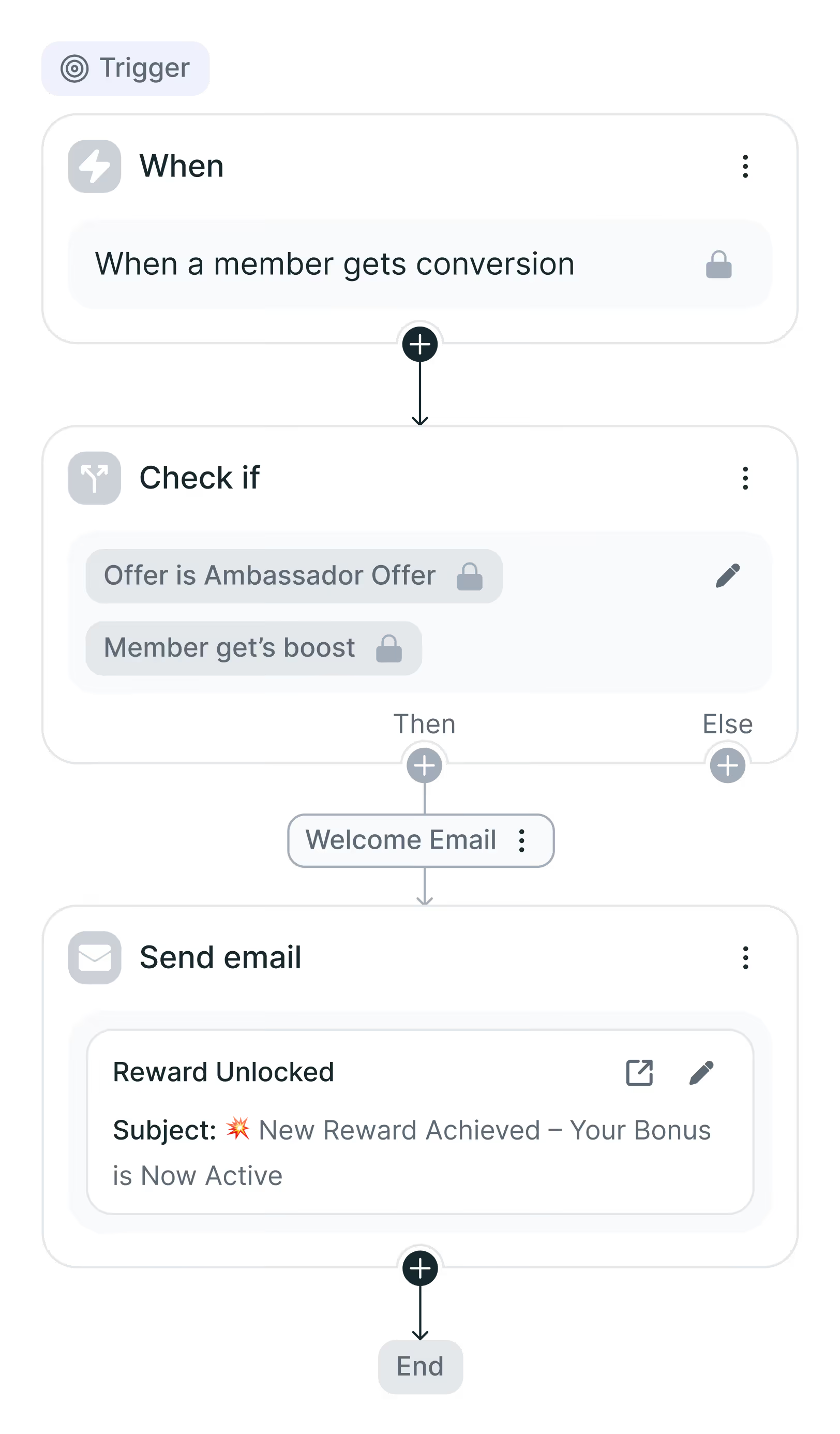
Split into parallel branches or chain actions in sequence, all inside a single automation you control.
Run History logs each automation's status in real time, so you can always see what ran and what didn't.
Most automation tools give you a trigger and an email. Campaign Automations goes further. You can build multi-step flows with conditions, delays, branching paths, and layered actions that respond to what's actually happening with each creator. When a brief is signed, automatically add the member to an offer and send a product catalog. When someone applies, tag them based on their responses. The logic is yours to define, and it runs without a prompt from you.
That means your team stops chasing and starts scaling. Creators get timely, relevant touchpoints. Your pipeline moves forward. And when you need a gut-check, Run History shows the full record: who was reached, what status each automation is in, and whether anything needs your attention.
How to use
Campaign Automations keeps your program moving without constant attention. Start from a template, customize the logic for your campaign, and activate with a click. From there, the platform handles follow-ups, tags, offer additions, and email sequences based on real triggers, not a schedule you have to remember. Check Run History anytime to see what fired, what's pending, and what to adjust.
See exactly what's running and why.
Campaign Automations follows a simple logic: when something happens, something else happens. You define both sides.
Triggers, conditions, and actions
Set conditions to control which creators are affected, add a delay if timing matters, then define what happens next. Stack multiple actions or split into parallel paths depending on what your campaign calls for.
Run History
Every run is logged with a status: running, ended, failed, or cancelled. Catch anything that didn't execute and cancel a pending automation mid-delay if plans change.