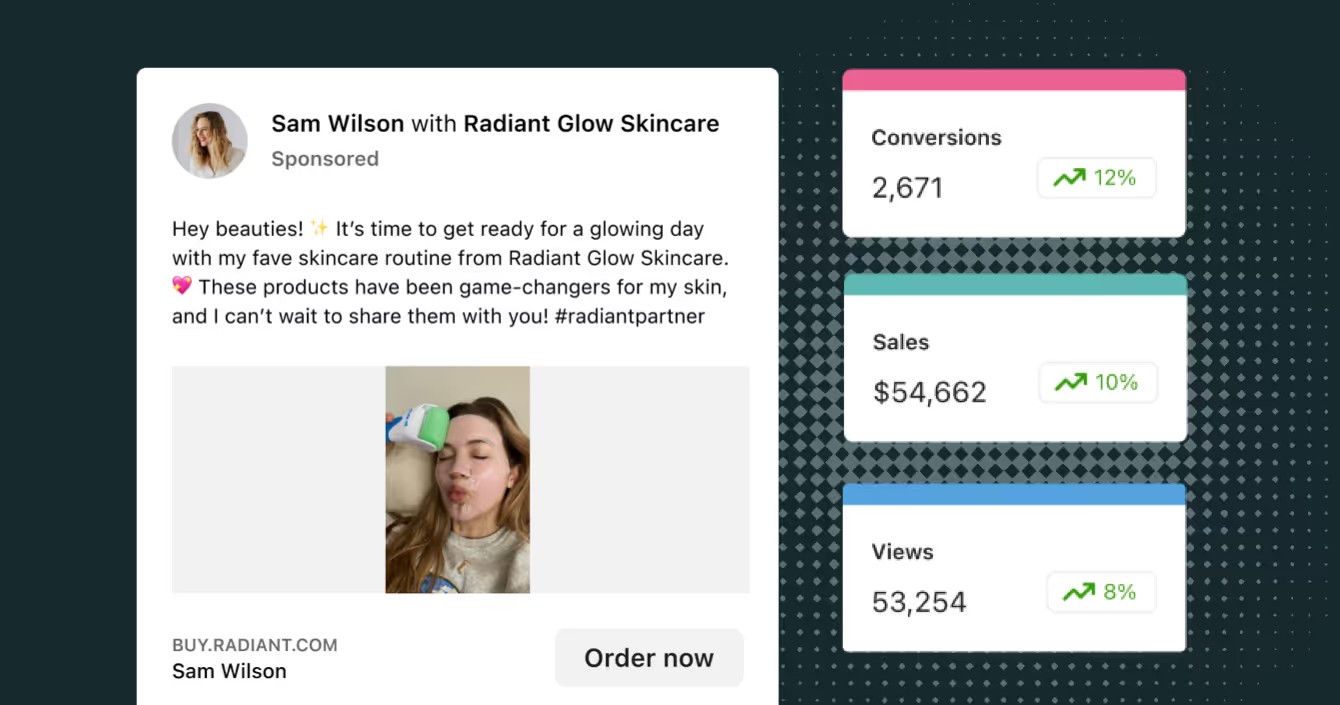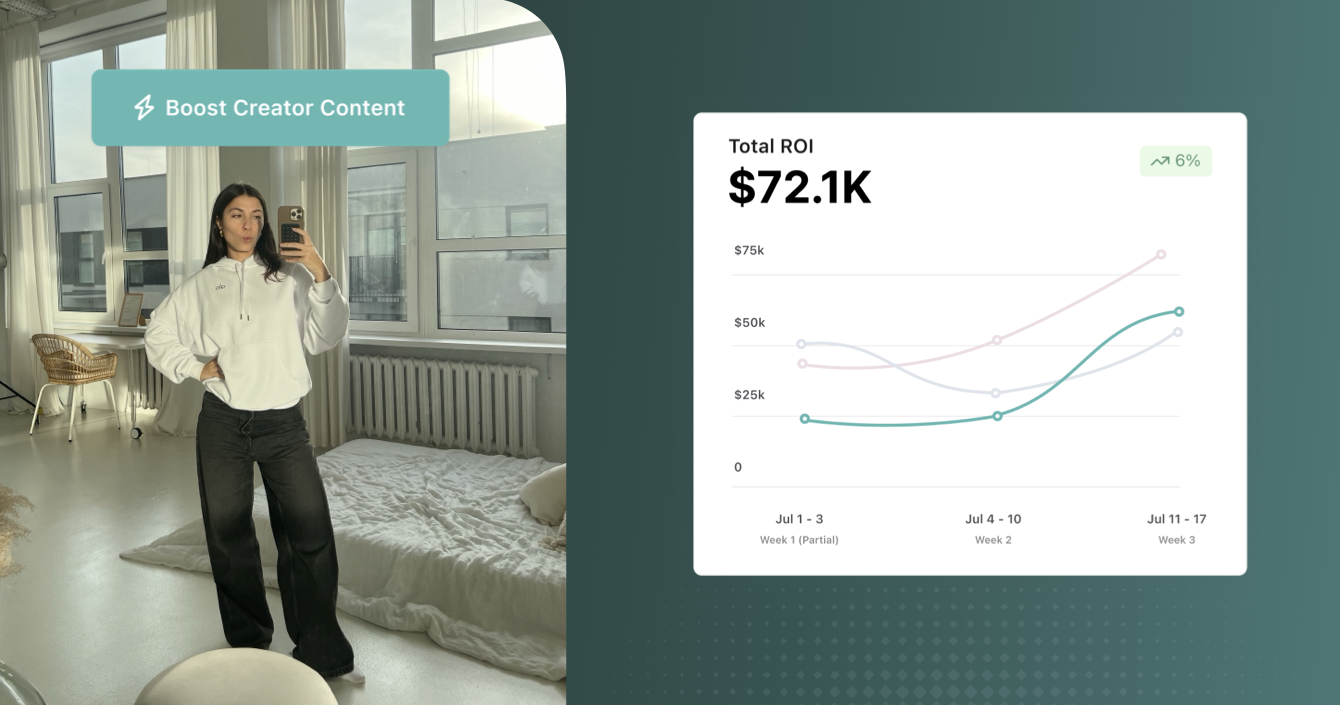
Content That Beats the Ad Algorithm: Bridging the Gap Between Organic & Paid

Unlock higher CTR and conversions by using creator content for ads. Our 5-step guide shows how to bridge organic and paid with Meta Partnership Ads.
Many brands treat a great creator post like a one-time win. It goes up, it gets likes, and then it disappears into the feed. Meanwhile, the same brands pour budget into studio-shot ads that audiences scroll past without a second glance.
That's a missed opportunity. Your best-performing organic creator content is sitting on top of a scalable paid strategy, and the savviest brands have figured out how to connect the two.
This playbook walks through exactly how to turn every winning creator post into a paid performance asset. We'll cover the performance data and give you a 5-step blueprint for scaling organic wins into paid results across your entire creator roster.
The Performance Gap: Why Creator Content Wins
The case for creator content in paid ads is backed by numbers, and the gap is not small:
- Ads powered by creator content lead to 4x higher click-through rates and a 50% lower cost-per-click than brand-directed ads.
- 69% of brands say influencer content outperforms brand-directed content.
- Adding Partnership Ads to continuous campaigns boosts click-through rates by 53%.
TikTok's own internal research shows creator-led ads drive 70% higher CTR and 159% higher engagement than non-creator ads at the same CPM. All of this data tells the same story: creator ads systematically outperform brand ads across CPM, CTR, and ROAS on Meta, TikTok, and YouTube.
So why does this happen?
Creator content fights ad fatigue. It feels more fresh and relatable because it comes from a person, not a brand, which keeps people watching longer. It builds trust, since audiences already have a relationship with the creator. And it feels native to the feed, so it stops the scroll instead of interrupting it.
In other words, authentic creator content consistently outperforms polished studio assets precisely because it blends in. That relatability is what earns the engagement that expensive brand creative struggles to match.
What Are Meta Partnership Ads?
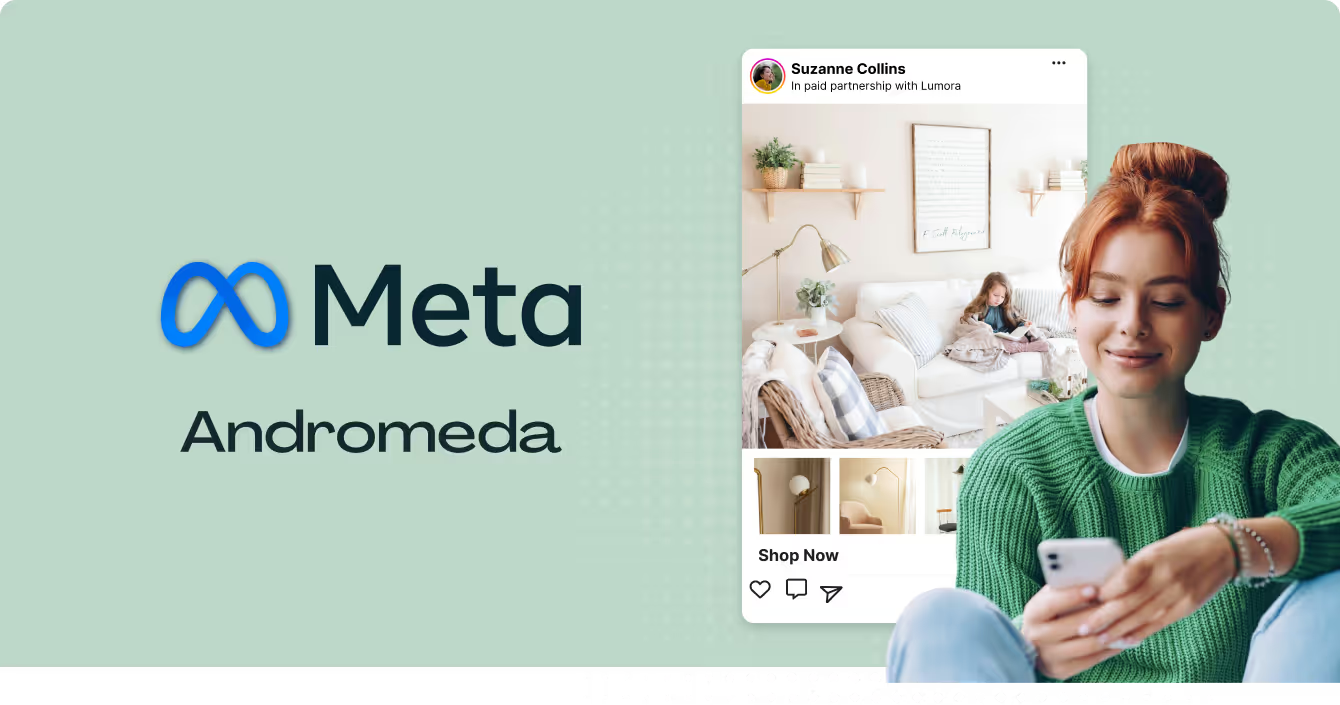
Meta Partnership Ads are ads that a brand manages and funds but runs from a creator's handle. They combine the authenticity and engaged audience of influencer content with the precision targeting and scale of paid social. The ad header shows both the creator and the brand, so audiences know it's a formal collaboration.
Here's how Partnership Ads stack up against standard organic posts and boosted posts.
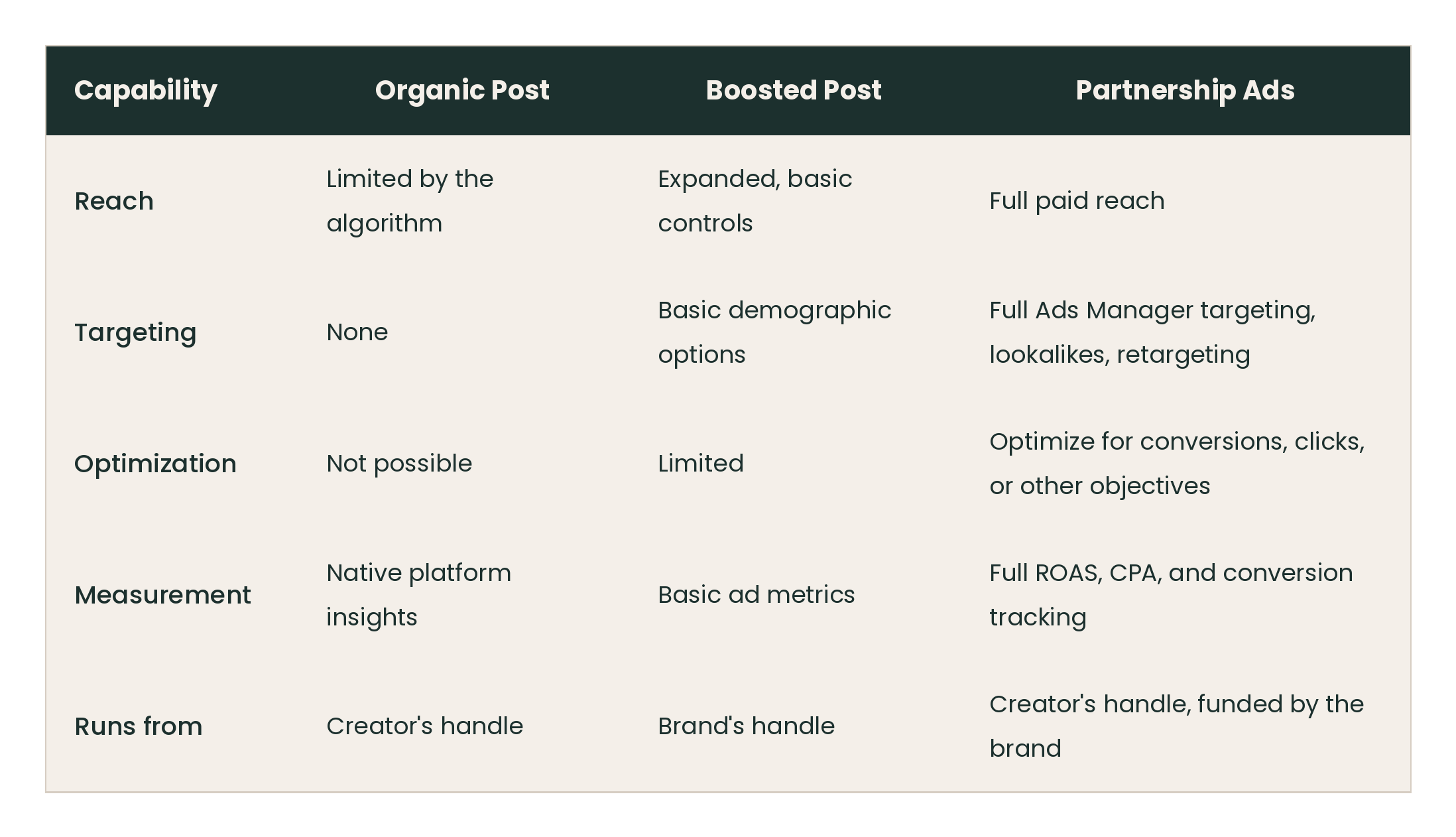
You get the creator's credibility and audience trust, plus the brand's sophisticated ad targeting and measurement. That pairing is what makes Partnership Ads the most performant and transparent way for advertisers and creators to run ads together.
The 5-Step Blueprint: From Organic Posts to Paid Powerhouses
Turning organic success into scalable paid performance is a repeatable process. Influencer marketing in paid advertising works best when you treat it as a system: run organic campaigns, spot the winners, secure permissions, amplify with targeting, and measure to scale.
Here are the 5 steps that make it work.
Step 1: Build Your Creator Ecosystem & Run Organic Campaigns
Paid amplification starts with a healthy organic program. Before you spend a dollar on ads, you need a steady stream of high-quality content from creators who genuinely champion your brand.
Don't jump straight into paid. Instead, build your creator ecosystem first. Start small and focus on the right partners.
- Start with 5 to 10 micro-creators in your niche.
- Provide clear brand guidelines, but let them keep their own voice.
- Focus on ongoing partnerships and brand ambassadors rather than one-off campaigns.
- Write content briefs that feel like collaboration, not dictation.
Long-term relationships matter here. When creators know your brand and produce content consistently, you build a library of options to draw from. That volume is what gives you enough winners to test in paid later.
Step 2: Identify High-Performing Organic Content to Amplify
Your organic posts are a free testing ground. Every campaign gives you real audience feedback on which creative resonates, and that data points you toward the content worth putting budget behind.
Look beyond likes. The metrics that signal deeper engagement are comments, shares, and saves, because they show people found the content valuable enough to react or hold onto.
That said, organic performance is a strong signal, not the only 1. Just because a post didn't take off organically doesn't mean it won't perform in paid. Organic reach is shaped by algorithmic noise like post timing and audience quirks. Paid ads put that content in front of a broader, more targeted group, so on-brand content with a clear value proposition is always worth testing, even if it didn't go viral on its own.
Step 3: Secure Content Usage Rights & Ad Permissions
This is the most critical and most overlooked step. You cannot legally use a creator's content in paid advertising without their explicit permission, and skipping it risks both your brand reputation and your creator relationships.
Build clear usage rights into your initial creator contracts. Handle it at the contract stage so there's no scramble later. As our 6-step guide to high-ROI paid ads lays out, specify these terms up front:
- The channels you can run the content on.
- The duration of the rights, with 6 to 12 months as a standard term.
- Whether you can edit, remix, or repurpose the content.
Once rights are agreed, there are 2 ways to get the actual ad permission. The first is an ad code, which the creator generates and shares with you. The second is allowlisting through Meta Business Manager, where the creator grants your account permission to run ads from their handle. Note that creators need a professional Instagram account and can grant permissions via an ad code or through Creator Marketplace.
PRO TIP: To encourage creators to grant usage rights, add a performance bonus clause tied to how the content does in paid.
Step 4: Amplify Content with Precision Targeting
With permissions secured, you set the campaign up in Meta Ads Manager. This is where the creator's authentic content meets your targeting muscle.
Run your creator ads in separate campaigns or ad sets rather than mixing them into existing ones. This keeps your data clean and lets you compare creator creative against your other assets without fragmenting the results.
For targeting, a few strategies consistently work:
- Build lookalike audiences from the creator's followers to reach people similar to their engaged community.
- Retarget your brand's warm audiences, like site visitors and past engagers, with the creator content to nudge them toward a purchase.
- Layer in your standard interest and demographic targeting to expand into new prospects.
If you want to turn organic influencer content into a paid ad, use the Partnership Ads feature or the allowlisting tool rather than manually reuploading the content to your own feed. The label keeps everything transparent and compliant.
Step 5: Measure, Iterate, and Scale What Works
Treat Partnership Ads like any other performance marketing channel, with rigorous testing and clear attribution. The goal is to keep the winners running and cut what doesn't convert.
Start with 1 key test: pit creator content against your studio-shot brand creative in an apples-to-apples comparison. This is the fastest way to prove the performance gap in your own account and free up budget for what works.
Track the bottom-of-funnel metrics that actually matter:
- Return on ad spend (ROAS)
- Cost per acquisition (CPA)
- Click-through rate (CTR)
- Conversion rate
For clean attribution, use UTM parameters on every link and give creators unique promo codes. Unique affiliate links and promo codes let you track every click and conversion a creator drives.
Once you know your winners, scale them. Increase budget on the top performers, request more content from the creators who delivered, and roll the winning hooks and formats into new tests. That loop, from analyzing performance to making scaling decisions, is what turns a single winning post into a repeatable engine.
Best Practices for High-Performing Creator Ads
The blueprint gets you the workflow. These habits get you the results.
- Nail the first 3 seconds. Creators should lead with a scroll-stopping hook before they even introduce the product.
- Give creative direction, not scripts. Creators perform best with freedom to translate your message into their own voice. Provide guardrails and ideas like "use a relatable scenario" or "lead with a before-and-after," but avoid giving creators a word-for-word script that strips out the authenticity.
- Repurpose for every format. Adapt content to fit each placement, with 9:16 for Reels and Stories and 4:5 for feed. Brief creators for multiple formats from the start so you're not stuck with 1 aspect ratio.
- Let lo-fi win. Less polished content often outperforms highly produced ads because it looks native. Resist the urge to add corporate voiceovers or heavy branded edits. Keep the creator's tone leading and captions conversational.
- Test the handle. Run the same content from the creator's handle versus your brand's handle and see which converts better for your audience.
How to Scale Your Workflow with Aspire
Running this playbook once, by hand, is doable. Running it across dozens of creators, every month, without a system, is where things break down. Permissions get lost in email threads, content lives in a dozen folders, and nobody can tell which post is worth boosting.
Aspire manages the entire 5-step process in 1 place. It's built to take the chaos out of the campaign so your team can focus on strategy instead of logistics.
The CreatorAds Suite is Aspire's integrated paid solution for launching Partnership Ads. It lets you turn high-performing organic creator content into Partnership Ads directly from Aspire in a few clicks, so you skip the manual back-and-forth of collecting ad codes and setting up allowlisting.
Aspire also simplifies the parts that usually slow teams down:
- Rights management is built into the workflow, so securing paid permissions happens as part of the process, not as an afterthought.
- The Content Library organizes every creator post in 1 place, searchable by campaign, tag, creator, or product, and lets you request revisions, approve, or reject content right inside the platform.
- Performance tracking ties creator activity to real business outcomes so you can spot winners and scale them.
The shift here is from manual, one-off boosts to a scalable, efficient system. Instead of treating each creator post as a separate project, you run an always-on engine (meaning your paid program runs continuously, not just during planned campaigns) that turns organic wins into paid performance across your whole roster.
Bridge the Gap and Beat the Algorithm
The brands pulling ahead have stopped choosing between organic creator marketing and paid media. They've connected the two.
The logic is simple. Creator content earns trust and stops the scroll, while paid media adds the targeting and scale. Combine them, and you get the 4x higher CTR and 45% better conversions that creator ads deliver over brand-produced creative.
The workflow is straightforward and repeatable: build a healthy creator program, spot your organic winners, lock in usage rights early, amplify with precise targeting, and measure everything so you can scale what works.
Ready to turn your best creator content into your best-performing ads? Book a demo with Aspire to see how the CreatorAds Suite manages permissions, approvals, and paid amplification across your entire creator roster.
Frequently Asked Questions
What Are Partnership Ads and Why Did Meta Rename Them?
Partnership Ads are ads that a brand funds and manages but runs from a creator's handle, showing both the creator and the brand in the ad header. Meta renamed them from Branded Content Ads to Partnership Ads to better reflect the collaborative nature of the format and match broader creator and advertiser terminology. The functionality stayed the same. Only the name changed.
How Are Partnership Ads Different From Organic Influencer Posts?
An organic influencer post reaches only the creator's existing audience, and its reach is controlled by the algorithm. Partnership Ads take that same content and add full paid reach, precise targeting, optimization for conversions, and complete performance measurement. You keep the creator's authenticity while gaining the scale and control of paid social.
What Formats Are Eligible for Partnership Ads?
Feed posts, Reels, and Stories are all eligible. Each requires the paid partnership label to stay transparent and compliant. Partnership Ads appear across feed, Stories, and Reels with both creator and brand identity shown.
How Does a Creator Grant Ad Permissions to a Brand?
The creator needs a professional Instagram account, then grants permission in 1 of 2 ways: by sharing an ad code, or by allowlisting the brand's account through Creator Marketplace or Meta Business Manager. Best practice is to secure these rights in the initial contract so the permission step is quick when you're ready to run ads.
How Do You Measure Partnership Ad Performance?
Track bottom-of-funnel metrics like ROAS, CPA, CTR, and conversion rate inside Meta Ads Manager. Use UTM parameters and unique promo codes for each creator to attribute clicks and sales accurately. The strongest test is running creator content head-to-head against your brand-produced creative to see the performance gap in your own account.
What Compensation or Usage Rights Should Brands Negotiate for Partnership Ads?
Negotiate the channels the content can run on, a usage duration of 6 to 12 months as a standard term, and the right to edit or repurpose the content. Because Partnership Ads expand both reach and usage rights, creators can reasonably expect higher fees. Adding a performance bonus tied to ad results is a fair way to align incentives on both sides.