
What's New at Aspire: September 2026

Recruit Hub, redesigned creator profiles, a simpler Reporting Hub, sender email selection for invites, and new Content Hub filters.
Every month, our product team ships updates based on what customers tell us is slowing them down. This month, Recruit Hub officially launched, creator profiles got a glow-up, Reporting moved to the new interface with a simpler layout, and more.
Here's the full rundown.
Recruit Hub
Recruit Hub brings creator search, applicant review, and recruiting analytics together under Recruit, so finding creators, vetting who applied, and seeing how your pipeline is performing all happen in one place.
Search covers Instagram, TikTok, YouTube, and Pinterest, pulling from Aspire's creator database alongside official marketplaces like Instagram Creator Marketplace, TikTok One, and the YouTube Partner Program.
We support multiple search modes:
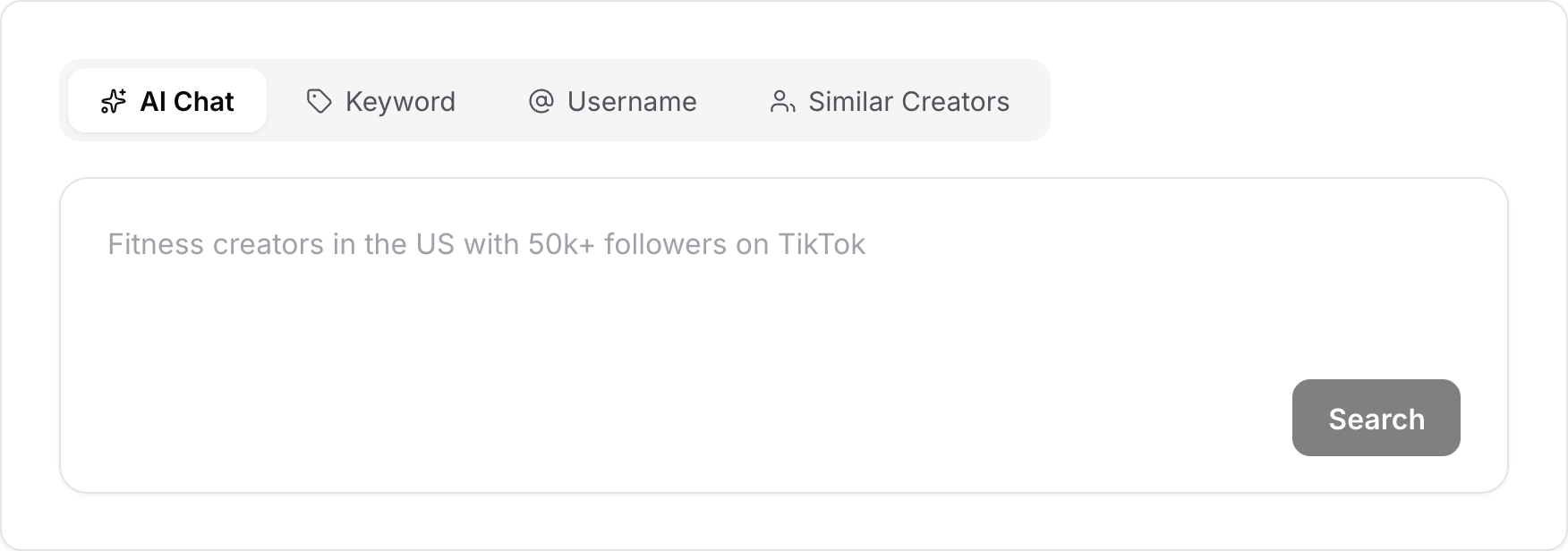
- AI Chat: Describe the creators you’re looking for in natural language. Aspire turns your prompt into relevant keywords and filters. Continue refining your search in the same conversation, or use the filter panel for more control.
- Keyword: Search by keyword and apply filters to narrow your results.
- Username: Search for a specific creator by handle when you already know who you’re looking for.
- Similar Creators: Start with a creator you specify and find other creators who are similar to quickly find more of what’s already working.
Beyond search, Recruit Hub covers the rest of your recruiting workflow:
- Applicants: Review applicants across all your campaigns, including affiliate applicants, and approve, reject, or shortlist them individually or in bulk.
- Customers: If your store is connected to Shopify, find existing customers who could become creators, with saved views for influence, purchase recency, repeat purchases, order count, and spend.
- Mentions: See the Instagram and TikTok creators already talking about your brand, filtered by recency, frequency, influence, and customer status.
- Analytics: Track application, approval, and rejection rates and time to activate, then break results down by creator tier, source, platform, campaign, and team member to see where your funnel drops off.
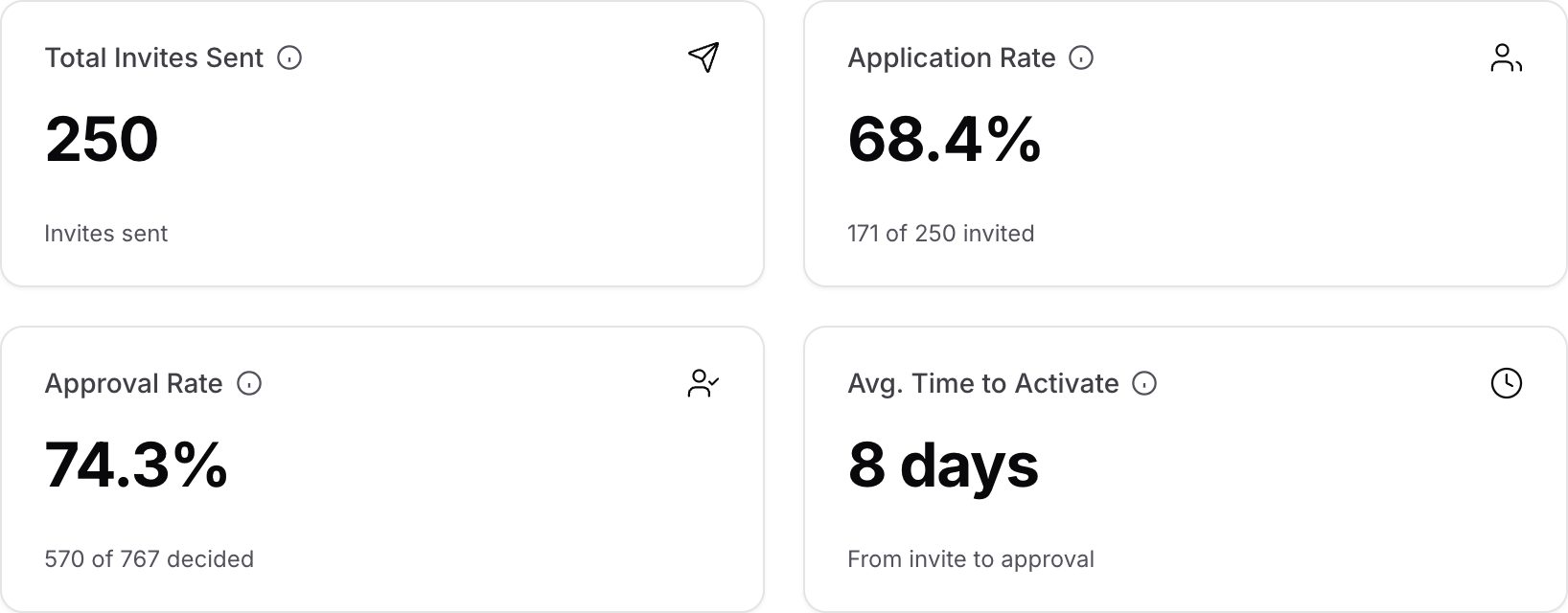
Learn more about Recruit Hub here.
Redesigned creator profiles
When you first open a creator's profile, you usually want a quick overview before you want the deep dive. So, profiles now open on a Summary tab with the essentials in one view, including key metrics, content highlights, the creator’s bio, brand mentions and past partnerships, and their campaign and group history with your brand.
When you need more detail, each area has its own tab:
- Metrics: Engagement and reach, engagement rate benchmarked against the creator's follower tier, month-over-month trends, and audience demographics (availability varies by platform)
- Recent Posts: Content you can filter by sponsored or organic, and sort by recency or performance
- Aspire Profile: Details the creator shared through the Aspire creator portal, like their media kit, interests, rates, and content preferences
Note that in Contact Hub, the Profile tab is now called Socials.
Learn more about creator profiles here.
Choose your sender email for creator invites
If your account has more than one connected email, you can now pick which one sends your creator invites. Before this, Aspire chose one at random, which meant replies could land in an inbox nobody was watching.
With the update, you can select contacts in Contact Hub (or open a single contact's profile), click Actions, choose Invite to Campaign, and pick the email account you want the invitation to come from.
Learn more about inviting creators here.
Reporting Hub
The Reporting Hub has a new layout with added filters and charts. We’ve also combined several reports that used to live separately, so you spend less time hopping between dashboards.
The biggest change is the updated Social Summary, which is now a single dashboard that houses all of your social performance data:
- Headline metrics: Posts, members, impressions, engagement, reach, and TMV, plus saves, likes, comments, shares, engagement rate, and impression rate
- Charts: Follower growth, EMV by post type, content over time, member distribution by follower count, and a side-by-side network comparison
- Breakdowns: Top posts and creators, performance by post format, and per-creator results across every platform
- Filters: Date range (by insight date or post date), project, group, network, post type, creator tier, and member
You can also toggle on “compare vs. previous period” to see how this month stacks up against the last one before your next leadership review.
Learn more about the Social Summary here.
Content Hub and report filters
Last but not least, the Content Hub keeps getting easier to work in. You can now group content, show any filter as a column, set how many rows appear per page, and filter by relationship. Content details and usage rights are also easier to read at a glance, so you can confirm what you're cleared to use without digging.
Over in Reporting, the Posts and Ads reports picked up three new filters: Tag, Insights Date, and Campaign Date.
What's next?
Our product team is already working hard on the next round of updates, including a new partnership with TikTok Shop, advanced Agreements, and a reimagined Campaigns experience.
In the meantime, if there's anything that keeps costing you time, we want to hear about it. Tell your Customer Success Manager, or get in touch with us.

.png)